
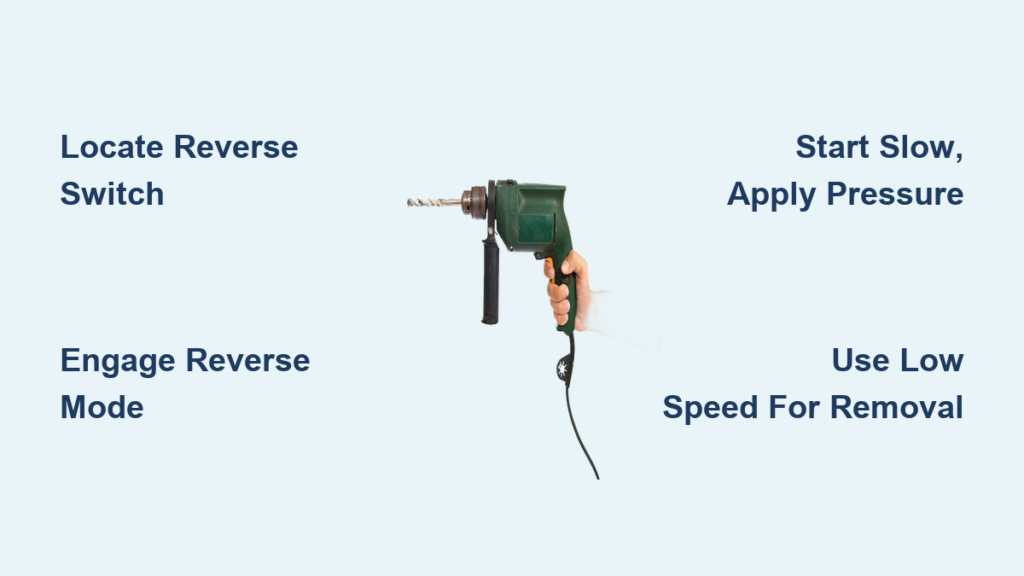
That frustrating moment when you’re trying to remove a stubborn screw, squeeze the trigger, and watch helplessly as your drill drives it deeper instead of backing it out—that’s why knowing how to reverse a drill is absolutely essential. Whether you’re a DIY enthusiast tackling home repairs or a professional contractor on the job site, mastering the reverse function transforms your drill from a simple hole-maker into a versatile problem-solving tool. This guide delivers exactly what you need: clear instructions for activating reverse mode, troubleshooting common issues, and professional techniques for removing even the most stubborn fasteners.
Unlike vintage drills from the 1960s and 1970s that lacked reverse functionality entirely, virtually every modern drill comes equipped with this critical feature. The good news is that reversing your drill is simpler than most beginners realize—it just requires understanding where to find the switch and how to use it correctly for different materials and fastener types. By the end of this guide, you’ll confidently switch between forward and reverse operations, extract stripped screws like a pro, and avoid the most common mistakes that damage both your workpiece and your drill.
Locating and Engaging Your Drill’s Reverse Switch
Your drill’s reverse function is controlled by a small sliding switch positioned just above the trigger mechanism. On most modern cordless drills, you’ll find this switch on the top or side of the handle, clearly marked with opposing arrows or “F/R” indicators. Before attempting any operation, ensure your drill is unplugged (for corded models) or the battery is removed to prevent accidental activation.
To engage reverse mode, slide the switch completely to the position marked with a counter-clockwise arrow or the letter “R.” Most drills feature a center “off” position that locks the trigger to prevent unintentional operation—a crucial safety feature you should always utilize when changing bits or transporting your tool. As you slide the switch, you’ll often feel distinct clicks indicating the forward, neutral, and reverse positions.
Why Your Reverse Switch Might Feel Stiff
If your reverse switch slides with difficulty or doesn’t stay in position, accumulated dust and debris are likely the culprits. Never force the switch as this can damage internal components. Instead, remove the battery and use compressed air to blow out particles around the switch mechanism. For stubborn grime, a cotton swab lightly dampened with isopropyl alcohol can clean without damaging electrical contacts.
Decoding Your Drill’s Settings for Effective Reversal
Understanding how your drill’s torque settings interact with reverse operation prevents stripped screws and damaged materials. The torque collar, located directly behind the chuck, controls how much rotational force your drill applies before disengaging. When reversing to remove screws, you’ll typically want to set this collar to a higher number (more torque) than when driving screws, especially for stubborn fasteners.
For corded drills with universal motors, reversing direction involves switching connections to either the field winding or armature—something handled automatically by your drill’s switch. Cordless drills use permanent magnet DC motors where reversal occurs by switching polarity through the electronic speed controller. This technical distinction explains why some vintage non-reversible drills from the pre-1980s era simply lack the necessary switching mechanism entirely.
Troubleshooting Uneven Reverse Performance
If your drill operates powerfully in forward direction but seems weak in reverse, several factors could be at play:
– Brush alignment issues: In brushed motors, the brushes are often angled to optimize forward rotation
– Commutator wear patterns: The copper segments may have worn unevenly favoring one direction
– Electrical resistance differences: Faulty switch contacts can cause voltage drop in reverse mode
Removing Stubborn Screws: Reverse Drill Technique in 4 Steps
Extracting difficult fasteners requires more than just engaging reverse—you need the right approach to avoid damaging the screw head or work surface. Follow this professional method for reliable results:
-
Position correctly: Stand with your body weight slightly forward, applying firm downward pressure while keeping the drill perfectly perpendicular to the work surface. This alignment prevents bit slippage that strips screw heads.
-
Start slow: Squeeze the trigger gently to begin rotation at low speed. Rushing this step often causes the bit to cam out of the screw head.
-
Apply steady pressure: Maintain consistent downward force as rotation begins. If the screw is extremely tight, tap the drill chuck lightly with a rubber mallet first to break the initial resistance.
-
Increase speed gradually: Once the screw begins moving, you can safely increase trigger pressure for faster removal, but never force it if resistance suddenly increases.
Handling Stripped Screw Heads
When faced with a stripped screw that won’t accept a standard bit, try this reverse-drill extraction method:
– Use a rubber band placed over the stripped head to fill gaps between the bit and screw
– Set your drill to reverse at low speed with maximum torque
– Apply firm downward pressure while slowly squeezing the trigger
– If the screw still won’t budge, apply penetrating oil and wait 10 minutes before retrying
Critical Safety Measures When Using Drill Reverse Function
The reverse function turns your drill into a powerful motorized wrench that demands respect. Always wear ANSI-approved safety glasses—reverse operation can send broken bits or fasteners flying toward your face at high speed. Keep your fingers well clear of the chuck and bit during operation, and maintain a firm two-handed grip to control sudden torque reactions.
When working with metal or dense materials, start in reverse at the lowest speed setting. High-speed reverse on a suddenly freed fastener can cause violent kickback that damages your wrist or the workpiece. For corded drills, ensure the power cord is positioned safely behind you to prevent accidental tripping or yanking the plug from the outlet during operation.
Why Your Drill Won’t Reverse: Top 5 User Errors
Most reverse function failures stem from simple user mistakes rather than mechanical problems. Check these common issues before assuming your drill is broken:
- Switch not fully engaged: The reverse switch must click completely into position—partial engagement won’t activate reverse
- Low battery charge: Cordless drills often lack sufficient power for reverse operation when batteries are depleted
- Torque setting too low: If the clutch disengages before overcoming fastener resistance
- Wrong bit selection: Using an improperly sized bit causes cam-out instead of rotation
- Trigger not squeezed fully: Some drills require full trigger depression for maximum reverse torque
Diagnosing and Fixing a Non-Functional Drill Reverse Switch

When basic troubleshooting doesn’t restore reverse function, conduct these electrical checks with the battery removed:
-
Test switch continuity: Use a multimeter to verify the reverse switch completes the circuit in reverse position
-
Check brush condition: Worn brushes (less than 1/4 inch long) or uneven spring tension cause poor contact
-
Inspect wiring: Look for frayed or disconnected wires between the switch and motor
-
Clean commutator: Use fine-grit sandpaper to remove glazing on the copper segments
If your vintage drill lacks reverse functionality entirely, adding this feature requires electrical expertise. For permanent magnet DC motors (common in cordless drills), reversing polarity through a DPDT switch typically works. Universal motors (in corded drills) require more complex rewiring of field windings. Unless you’re experienced with electrical modifications, replacement with a modern reversible drill is safer and more cost-effective.
Preventative Maintenance to Ensure Reliable Drill Reversal

Regular care prevents 90% of reverse function problems. After each use, wipe debris from the reverse switch area with a dry cloth. Every 50 hours of operation, perform these maintenance steps:
- Clean the chuck: Remove built-up debris that can interfere with bit seating
- Inspect brushes: Replace if worn below manufacturer specifications
- Lubricate moving parts: Apply light machine oil to the chuck mechanism (never on electrical components)
- Check switch operation: Ensure smooth movement between forward, neutral, and reverse positions
For corded drills showing excessive sparking in reverse mode, the likely culprit is uneven brush wear. Replace both brushes simultaneously—even if only one appears worn—to maintain balanced electrical contact. Modern drills with electronic speed controls rarely develop reverse issues when properly maintained, making them more reliable for frequent reversal tasks than vintage models.
Knowing how to reverse a drill properly separates casual users from true tool masters. By understanding where to find the reverse switch, how to troubleshoot common problems, and when to apply specific techniques for stubborn fasteners, you’ll transform frustrating removal jobs into quick, clean operations. Remember that proper reverse technique combines the right settings, controlled pressure, and patience—never force a stuck screw. With this knowledge, your drill becomes a truly versatile tool capable of both precise installation and problem-solving extraction. Keep your reverse switch clean and functional, and you’ll breeze through projects that would leave others struggling with stripped screws and damaged materials.



