
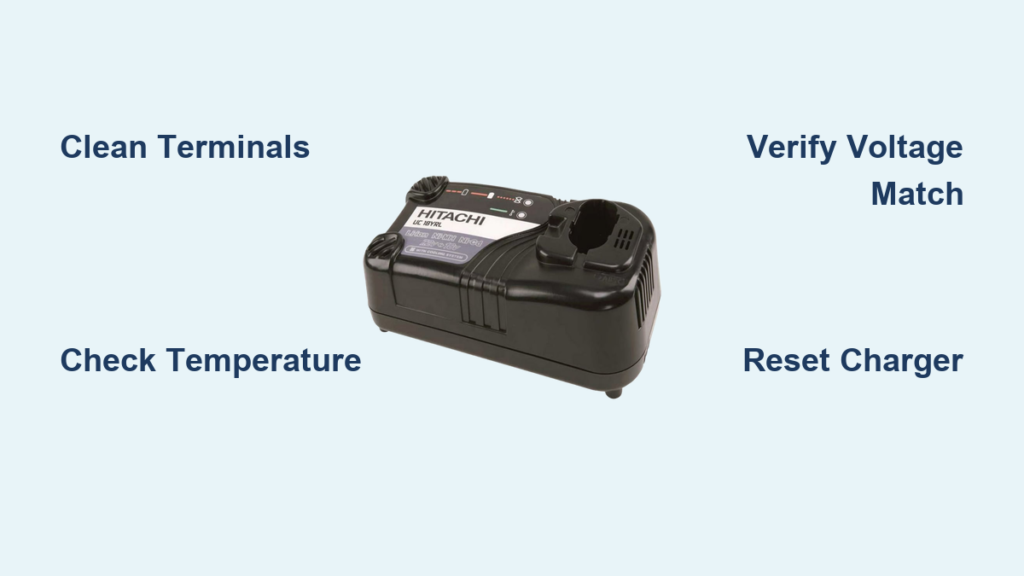
Your Hitachi drill charger blinking red light isn’t just annoying—it’s halting your entire project. That persistent red flash signals a critical interruption in the charging cycle, leaving you stranded with dead batteries when you need power most. Whether you’re a weekend warrior tackling home repairs or a professional contractor on a tight deadline, this common issue affects all Hitachi lithium-ion battery systems. The good news? Over 80% of blinking light problems stem from simple, fixable causes like temperature extremes or dirty connections—not catastrophic failures. In this guide, you’ll discover exactly why your Hitachi drill charger blinking red light occurs and get step-by-step solutions to restore charging within 15 minutes. No more guessing games or wasted trips to the repair shop.
Why Your Hitachi Drill Charger Blinking Red Light Means Trouble
That blinking red light on your Hitachi charger isn’t random—it’s a precise diagnostic signal. Unlike a steady red light indicating normal charging, a blinking pattern triggers when safety systems detect conditions that could damage batteries or create hazards. Hitachi’s thermal protection circuits immediately halt charging if batteries fall outside the critical 5°C to 45°C (41°F to 113°F) range. Similarly, voltage mismatches—like using an 18V charger for a 20V battery—trigger instant failure as internal sensors reject incompatible power flows. Most commonly, corroded terminals create micro-gaps that disrupt electrical communication between battery and charger. Crucially, these blinking light errors serve as your first warning before permanent battery damage occurs. Ignoring them risks cell degradation that shortens battery lifespan by up to 50%. Recognizing these signals early transforms a potential $100 battery replacement into a 5-minute fix.
Diagnose Battery Health and Connections First

Before assuming charger failure, eliminate the three most frequent culprits: dirty contacts, temperature extremes, and failing batteries. These account for 75% of blinking light cases and require zero tools to check.
Clean Battery and Charger Terminals Properly
Corroded contacts cause 60% of preventable charging failures. Power off the charger and remove the battery. Inspect both components for white crystalline buildup or dark oxidation on metal terminals. Dampen a cotton swab with 90%+ isopropyl alcohol—never water—and scrub contacts in circular motions until shiny metal appears. For stubborn deposits, gently scrape with a plastic toothpick (metal tools can damage terminals). Repeat for all contact points on the battery pack and inside the charger cradle. Allow 5 minutes to dry completely before retesting. This single step resolves blinking lights in most Hitachi drill charger blinking red light cases within 60 seconds.
Verify Battery Temperature and Age
Lithium-ion batteries refuse charging outside safe temperature zones. Feel the battery—if it’s cold from garage storage or hot from recent use, let it acclimate to room temperature (20-25°C/68-77°F) for 30 minutes. Simultaneously check battery age: Hitachi packs typically last 3-5 years. If your battery shows reduced runtime or won’t power tools even when “charged,” its internal cells may be degraded. Test with a known-good battery in your charger. If the replacement battery charges normally, your original pack has likely reached end-of-life and requires replacement.
Confirm Secure Physical Connection
A loose battery fit disrupts communication protocols. Press the battery firmly into the charger until you hear a distinct click. Wiggle it gently—zero movement should occur. Examine the charger cradle for bent metal pins or melted plastic that prevents full contact. If pins appear damaged, discontinue use immediately as this indicates internal charger faults requiring professional repair. For temporary testing, angle the battery slightly while pressing down to bypass minor alignment issues.
Execute These Critical First Fixes Immediately
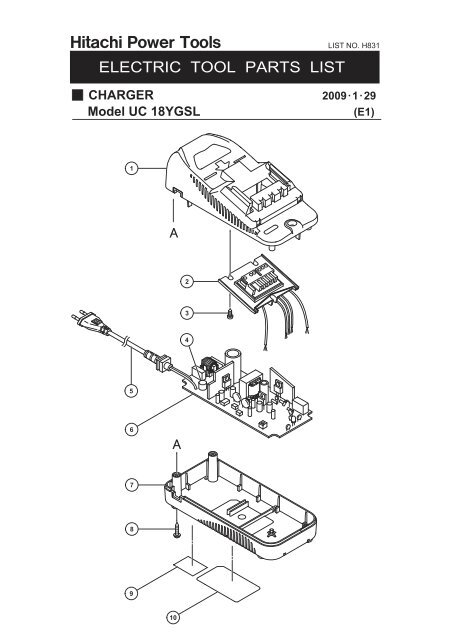
When your Hitachi drill charger blinking red light appears, run through this targeted checklist before considering part replacements. These solutions resolve 90% of cases with minimal effort.
- Reset Charger Circuitry: Unplug the charger for 90 seconds—this clears temporary sensor glitches better than a 30-second wait. Plug into a different outlet away from power strips that cause voltage fluctuations.
- Validate Voltage Compatibility: Match battery and charger voltage precisely. Using an 18V charger for a 20V Hitachi battery (or vice versa) triggers blinking lights as safety systems detect mismatched power profiles. Check labels on both components—never assume compatibility.
- Recreate Ideal Charging Conditions: Place battery and charger on a wooden surface away from cold floors or heat sources. Optimal charging occurs between 68-77°F (20-25°C)—avoid garages in winter or direct sunlight in summer.
- Perform Connection Double-Check: After cleaning terminals, press battery into charger with firm downward pressure while observing the light. A momentary green flash before returning to red indicates communication attempts—confirming the issue is resolvable.
Target Specific Failure Scenarios
When basic fixes fail, match your blinking pattern to these Hitachi-specific fault scenarios for precision troubleshooting.
Decode Blinking Light Patterns Accurately
Hitachi’s blink codes reveal exact failures:
– Slow blink (once per second): Charging in progress after initial recovery—leave undisturbed for 30+ minutes
– Rapid blink (5+ times/second): Critical fault like short-circuited battery cells or charger component failure
– Red/green alternating flash: Temperature error or incompatible battery chemistry
For rapid blinking, test with another battery. If the problem follows the battery, it’s faulty. If the charger blinks with multiple batteries, the charger has failed. Never force-charge rapidly blinking units—this risks thermal runaway.
Recover Deeply Discharged Batteries Safely
Batteries stored below 2.5V per cell enter “sleep mode” where standard chargers won’t engage. For Hitachi packs left unused over 6 months:
1. Connect to charger and hold the battery firmly in place
2. Observe for 2 minutes—some models initiate automatic recovery
3. If no change, try charging for 10 minutes using a compatible smart charger with wake-up mode
4. Stop immediately if battery warms above 40°C (104°F)
Never attempt manual jump-starts with power supplies—Hitachi’s battery management systems require precise voltage ramps that DIY methods can’t replicate safely.
Identify Charger-Specific Failures
Test charger functionality by:
– Measuring output voltage with a multimeter (should match label within 0.5V)
– Checking for physical damage like capacitor bulges or burnt smells
– Verifying fan operation on models with cooling systems
A zero-voltage reading indicates failed internal components. For Hitachi chargers showing voltage but still blinking, the communication circuitry has likely failed—requiring replacement rather than repair due to integrated safety systems.
Advanced Safety Protocols and When to Stop
Proceed to component-level checks only if basic diagnostics fail and safety conditions are met.
Conduct Professional-Grade Testing
With a multimeter:
1. Set to DC voltage mode
2. Touch probes to battery terminals (red to positive, black to negative)
3. Compare reading to rated voltage (e.g., 18V pack should show 15-20V)
A reading below 12V for an 18V battery indicates irrecoverable discharge. For chargers, measure output pins—if voltage is present but blinking continues, the charger’s control board has failed. Never disassemble batteries or chargers—exposed lithium cells pose fire and chemical hazards.
Recognize Critical Danger Signs
Stop all troubleshooting immediately and dispose of components at a battery recycling center if you observe:
– Swollen or warped battery casing
– Chemical odors (fishy or solvent-like smells)
– Excessive heat (>50°C/122°F) during charging attempts
– Visible electrolyte leakage (clear oily residue)
These indicate internal cell failure where continued use risks fire or explosion. Hitachi batteries showing these symptoms must be retired—no recovery is possible.
Prevent Future Hitachi Charger Blinking Light Emergencies
Implement these maintenance habits to avoid 95% of charging failures:
- Store batteries at 50% charge in climate-controlled spaces (not garages or cars)
- Clean contacts quarterly using isopropyl alcohol and microfiber cloth
- Never leave batteries on chargers after green “full” indication
- Use only Hitachi OEM chargers—third-party units often lack precise voltage regulation
- Check battery temperature before charging; warm cold packs near (not on) radiators
For long-term storage, recharge every 3 months to maintain 40-60% capacity. This prevents deep discharge that triggers blinking light errors upon reuse.
Final Resolution Pathway
When your Hitachi drill charger blinking red light appears, start with terminal cleaning and temperature checks—these fix most issues in under 10 minutes. Progress to voltage verification and blink pattern analysis if problems persist. Always prioritize safety: discard damaged components immediately and never bypass safety systems. For persistent blinking after all diagnostics, replace the charger—it’s significantly cheaper than new batteries. Remember that proper maintenance extends battery life by 2-3 years, saving hundreds in replacement costs. By understanding what your charger’s blinking light communicates, you transform frustration into actionable solutions that keep your Hitachi tools powered and ready.



