
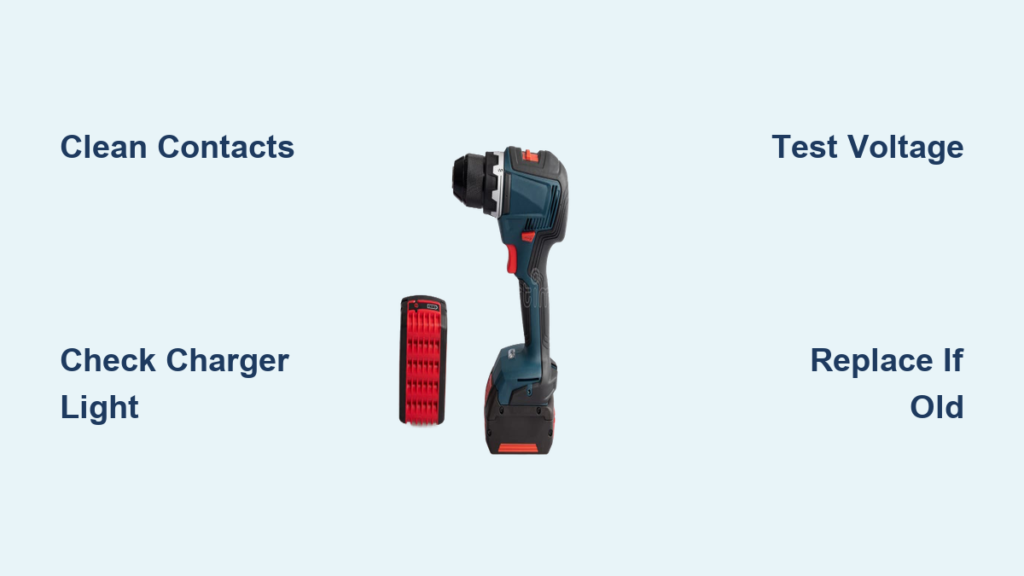
You grab your cordless drill, ready to hang that shelf or finish your deck project, only to find the battery completely dead. You plug it into the charger, but nothing happens—the indicator light stays dark or flashes erratically. No matter how long you wait, that green “fully charged” signal never appears. A drill battery not charging can derail your entire project timeline, leaving you frustrated and stranded with tools you can’t use. Whether you’re a weekend warrior or a professional contractor, this common power tool issue demands immediate attention.
This isn’t just an inconvenience—it’s a productivity killer. When your drill battery won’t charge, your entire workflow stops dead in its tracks. The good news is that most charging problems have straightforward solutions once you know where to look. In this guide, you’ll discover the exact diagnostic steps to pinpoint whether the issue lies with your battery, charger, or connection. Most importantly, you’ll learn practical fixes that can get your drill back in action in minutes, not days.
Essential Safety Steps Before Troubleshooting Your Drill Battery
Before you even touch your drill battery or charger, prioritize safety—especially with lithium-ion packs that can pose fire risks when mishandled. Always unplug the charger from the wall outlet before removing or inserting batteries. Work in a clean, dry area away from flammable materials, and wear safety glasses to protect your eyes from potential sparks or debris.
If your drill battery shows any signs of physical damage—swelling, dents, or leakage—do not attempt to charge it. Swollen batteries indicate internal damage that could lead to thermal runaway, a dangerous condition where the battery overheats uncontrollably. Instead, place the damaged battery in a fireproof container like a metal bucket filled with sand and take it to a proper battery recycling center. Never dispose of lithium-ion batteries in regular trash, as they can ignite in compactors or landfills.
How to Diagnose Your Drill Battery Charging Problem

The issue could be with your battery, charger, or the connection between them. A systematic approach saves time and prevents unnecessary replacements.
Verify Basic Connections Before Assuming Battery Failure
Start with these critical checks that solve most drill battery not charging issues:
* Clean corroded battery contacts using a cotton swab dipped in 90% isopropyl alcohol—corrosion creates resistance that blocks charging
* Test the wall outlet with another device to confirm power is actually reaching your charger
* Ensure proper battery seating—many users don’t push batteries far enough into chargers; listen for the definitive click
* Check temperature conditions—lithium-ion batteries won’t charge below 32°F (0°C) or above 113°F (45°C)
Decode Your Charger’s Indicator Light Patterns
Your charger’s LED lights provide crucial diagnostic information:
* Steady red light: Normal charging in progress (typically 30-60 minutes for modern fast chargers)
* Flashing red light: Warning signal indicating a problem—most commonly a temperature fault or communication error
* No lights: Could mean a dead charger, faulty outlet, or battery so deeply discharged the charger can’t detect it
* Rapid blinking: Often indicates a cell imbalance or failed battery management system (BMS)
Consult your drill’s manual for model-specific light patterns, as brands like DeWalt, Milwaukee, and Makita use different signaling systems. This simple visual check eliminates guesswork and directs your troubleshooting efforts.
Test Your Battery with a Multimeter for Definitive Results
When visual checks don’t reveal the problem, measure your drill battery’s voltage:
1. Set your multimeter to DC voltage (20V range for 18V/20V Max batteries)
2. Touch red probe to positive terminal, black to negative
3. A healthy 18V battery should read 18-20V when fully charged
4. If below 15V, the battery may be too deeply discharged for the charger to recognize
If your drill battery voltage reads below 10V (for an 18V pack), the internal protection circuit has likely disconnected the cells permanently. In this “deep sleep” state, standard chargers won’t initiate charging—a potential indicator that replacement is necessary.
Common Drill Battery Charging Issues and Immediate Fixes
Fixing a Flashing Charger Light Problem
When your charger blinks instead of charging, follow this sequence:
1. Remove battery and let it rest at room temperature for 30 minutes
2. Clean all metal contacts thoroughly with isopropyl alcohol
3. Try charging a different battery in the same charger
4. If the problem follows the battery, it’s likely faulty
Most modern chargers display specific error codes through light patterns. For example, three flashes followed by a pause might indicate a temperature fault, while continuous rapid blinking could mean a communication failure between the battery’s BMS and charger.
Addressing Overheating During Charging
If your drill battery becomes noticeably warm during charging:
* Immediately stop the charging process
* Move the battery to a non-flammable surface away from combustibles
* Allow it to cool completely for at least 2 hours
* Never charge a battery that feels hot to the touch
Excessive heat during charging indicates serious internal problems—often a failing cell or damaged circuitry. Continuing to charge a hot battery risks thermal runaway, where temperatures can exceed 1,000°F causing fire or explosion. When in doubt, replace the battery rather than risk safety hazards.
Reviving Long-Stored Batteries That Won’t Charge

Batteries stored in a fully discharged state for 6+ months often fall below the minimum voltage threshold:
* Try charging for 5 minutes, then check voltage with multimeter
* If still below 10V (for 18V battery), attempt a low-amperage “jump start”
* Use a variable DC power supply set to 0.5A to slowly bring voltage above 12V
* Once above minimum threshold, return to standard charger
Warning: This method carries risks and should only be attempted by those comfortable with electronics. If the battery doesn’t respond after two attempts, it’s likely unrecoverable.
When Replacement Beats Repair for Your Drill Battery
For consumer-grade power tools, professional battery repair rarely makes economic sense. The cost of quality replacement cells plus labor typically exceeds 75% of a new battery’s price. Additionally, improper reassembly creates serious safety hazards with lithium-ion packs.
Consider these red flags that signal it’s time for replacement:
* Battery is more than 3 years old (even with light use)
* Physical damage like dents, cracks, or swelling
* Consistent failure to hold charge even after full charging cycles
* Error codes that persist across multiple chargers
Manufacturers like DeWalt and Milwaukee often offer refurbished battery options that provide significant savings over new while maintaining warranty coverage—typically 30-50% less than brand new equivalents.
Proven Strategies to Prevent Future Drill Battery Charging Issues
Extend your battery’s lifespan with these professional maintenance techniques:
Optimal Charging Habits for Maximum Battery Life
- Recharge when power noticeably drops (don’t wait for complete discharge)
- Remove batteries from chargers immediately after full charge indication
- Use only manufacturer-approved chargers designed for your specific battery
Ideal Storage Conditions to Prevent Charging Failures
- For short-term storage (weeks): Keep at 40-60% charge
- For long-term storage (months): Store at 50% charge in cool, dry place (50-68°F)
- Never store batteries in vehicles where temperatures can exceed 140°F
Heat accelerates battery degradation more than any other factor—storing batteries in hot environments can cut their lifespan in half. Always let batteries cool completely after use before charging or storing.
Final Diagnostic Checklist for Drill Battery Not Charging
When your drill battery won’t charge, follow this definitive troubleshooting sequence:
- Confirm power source – Test outlet with another device, check circuit breaker
- Clean all contacts – Battery terminals, charger contacts, and connection points
- Check temperature – Ensure battery and charger are within operating range
- Test with alternative equipment – Try different battery in same charger, or same battery in different charger
- Interpret light patterns – Consult manual for model-specific error codes
- Measure voltage – Use multimeter to check actual battery charge level
- Assess age and usage – Batteries over 3 years or 300+ cycles often need replacement
Most drill battery charging problems resolve with basic maintenance—dirty contacts cause more charging failures than actual battery defects. When replacement becomes necessary, choose OEM (original equipment manufacturer) batteries over third-party alternatives for optimal performance, safety, and warranty coverage. Remember that proper care extends battery life significantly—treat your power tool batteries well, and they’ll keep your projects moving forward without unexpected charging failures.



