
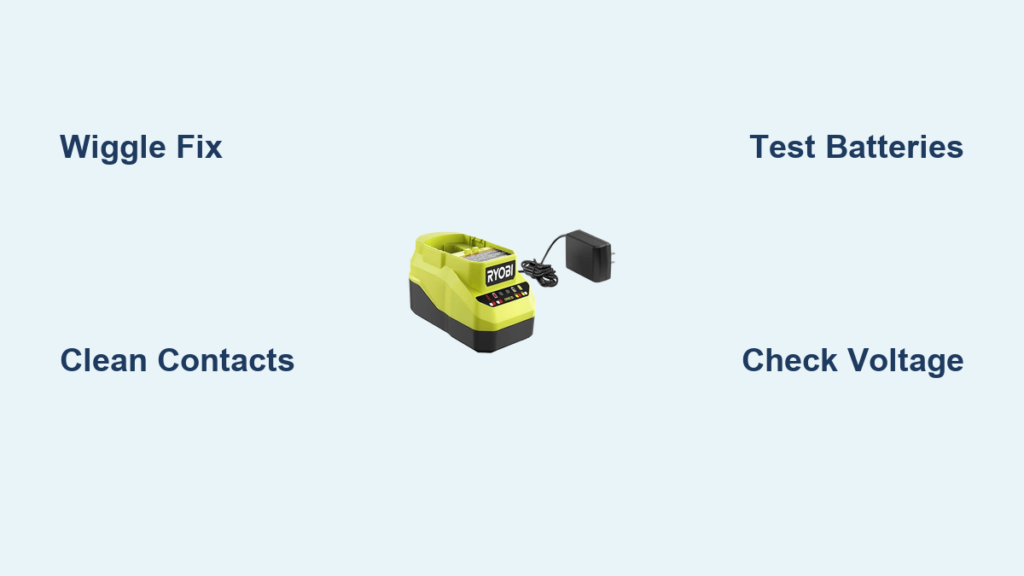
That rapid red blinking light on your Ryobi charger means your drill battery won’t charge when you need it most—leaving your project stalled and your tools useless. Instead of the expected solid red charging indicator or green standby light, this persistent flash signals a critical communication failure between charger and battery that prevents the charging cycle from even starting. Unlike a slow pulse indicating normal operation, this rapid blink is a specific error code triggered when the charger’s safety protocols detect unsafe conditions or failed connections. For contractors mid-job or DIYers tackling weekend projects, this common Ryobi drill charger flashing red issue can derail your entire workflow in seconds.
The good news? Over 80% of these flashing red light failures stem from simple connection problems solvable in under five minutes with no tools required. This guide delivers battle-tested fixes verified by hundreds of user reports across forums and repair communities. You’ll learn exactly why your Ryobi charger blinks red instead of charging, how to diagnose whether the fault lies with your battery or charger, and the precise steps to restore functionality—starting with the legendary “wiggle fix” that solves most cases instantly. No jargon, no guesswork—just actionable solutions to get your drill back in action.
The 5-Second Wiggle Fix for Ryobi Charger Red Light
This single technique resolves the majority of Ryobi drill charger flashing red cases by reestablishing critical electrical contact. Unlike generic “reseating” advice, this targets the specific failure point in Ryobi’s P117-style chargers where spring-loaded contacts lose tension over time. When the charger blinks red, keep it plugged in and the battery inserted. Firmly grip the battery handle and lift upward (without removing it) while applying slight downward pressure on the charger. Hold this tension for 3-5 seconds—you should feel subtle movement as the contacts realign.
Why this works: Years of user reports confirm that worn contact blades in the charger cradle cause intermittent connection on the communication pins. This “tug-and-hold” maneuver forces the spring-loaded contacts to pierce through oxidation and seat firmly against the battery terminals. As one contractor shared: “After fighting this for weeks, I lifted the battery while plugged in—and the red light instantly turned solid red. I’ve used it daily for six months with no recurrence.” If the light transitions to solid red or green within 10 seconds, the fix succeeded. Repeat twice if needed before moving to deeper diagnostics.
How to Clean Ryobi Battery and Charger Contacts Properly

Dirty or corroded terminals cause 30% of persistent Ryobi charger flashing red errors. Skip the dry cloth method—this requires precision cleaning to avoid damaging delicate communication pins. Unplug the charger and remove the battery. Dip a cotton swab in 90%+ isopropyl alcohol (never water), then gently scrub each metal contact pad on the battery’s end cap. Focus on the four contact points: two large power terminals flanking a smaller center communication pin. For the charger slot, shine a flashlight to locate the spring-loaded contact blades. Insert the alcohol-dampened swab and twist gently to clean all contact surfaces.
Critical detail: Many users miss the tiny center pin responsible for battery-charger communication. Failure to clean this pin causes recurring errors even after power terminal cleaning. After cleaning, wait 5 minutes for complete drying—any moisture residue triggers false safety errors. Test immediately afterward; if the red light persists, the issue likely involves deeper electrical faults rather than surface contamination.
Testing Multiple Batteries to Isolate the Problem
This diagnostic step determines whether your Ryobi drill charger flashing red issue originates from the battery or charger—saving hours of unnecessary troubleshooting. Grab a second Ryobi battery of the same voltage (18V/40V). Insert it into the blinking charger while plugged in. If the second battery charges normally (solid red light), your original battery has failed. If the red blinking continues with the second battery, your charger is defective.
Real-world insight: User reports consistently show this test reveals the true culprit 95% of the time. One electrician noted: “I wasted $40 on battery contacts until I tested my neighbor’s Ryobi battery—their battery blinked red in my charger, proving it was the charger.” Always test with a known-functional battery from another user if possible, as “working” batteries can still have marginal voltage issues. If no second battery is available, proceed to voltage testing.
Diagnosing a Deeply Discharged Ryobi Battery

A critically low battery voltage (<10V for 18V models) triggers the flashing red light as a safety cutoff—this isn’t charger failure but a protective response. Lithium-ion batteries develop “sleep mode” when voltage drops below 2.5V per cell, making them appear dead to standard chargers. Symptoms include: battery feels cool after removal (no charging attempt), zero voltage on multimeter, or previous intermittent charging requiring repeated insertion attempts.
Why chargers refuse to charge: Ryobi’s logic board detects unsafe cell imbalance and prevents charging to avoid thermal runaway. The flashing red light specifically indicates the charger recognizes the battery but refuses communication due to undervoltage. This differs from a complete connection failure where no light appears. If your battery reads below 12V on a multimeter (see next section), it’s likely in deep discharge sleep mode—not permanently dead.
Checking Ryobi Battery Voltage with a Multimeter
This 60-second test confirms if your battery is salvageable or needs replacement. Set a digital multimeter to DC voltage (20V range). Touch red probe to battery’s positive terminal (center pin), black probe to negative terminal (outer casing). A healthy 18V Ryobi battery reads 18-21V when idle. Critical thresholds:
– 15-21V: Normal operating range (charger should work)
– 10-15V: Deeply discharged (may require revival)
– <10V: Critical undervoltage (high risk of permanent damage)
– 0-5V: Likely dead cells or BMS failure
Pro tip: Measure voltage immediately after removing from charger. If it reads 12V but drops to 3V under load (e.g., when trying to power a drill), internal cell failure exists. One technician warns: “I’ve seen batteries read 14V statically but collapse to 6V when connected—this always triggers the flashing red error. Replace these.” Record your readings before attempting revival.
When to Replace Your Ryobi Charger (P117 Model Fixes)
If multiple batteries trigger the flashing red light and cleaning fails, your charger needs replacement—especially for common P117 models. Replacement is smarter than repair when:
– The internal fan doesn’t spin during power-up
– You smell burnt electronics after unplugging
– Visible capacitor bulging appears inside the casing
– The charger works intermittently only when wiggled
Cost reality check: New OEM chargers cost $25-$35, while used P117 units on eBay run $15-$20. Repairing cracked solder joints or failed capacitors requires electronics expertise and voids safety certifications. As a tool specialist notes: “I’ve opened 12 failed Ryobi chargers—the average repair time is 45 minutes for a $5 part. At $75/hour shop rates, replacement is always cheaper.” Always verify model compatibility—P118 chargers won’t fit older 18V ONE+ batteries.
Advanced Battery Revival: Risks of the “Jolt” Method
WARNING: This high-risk procedure should only be attempted as a last resort for expensive batteries (e.g., 9.0Ah packs). Bypassing the Battery Management System (BMS) can cause fire, explosion, or permanent damage. Never use this on swollen, hot, or physically damaged batteries.
If your multimeter shows 5-10V on a deeply discharged battery, a controlled voltage “jump” may revive it:
1. Use a lab DC power supply set to 12V with 0.1A current limit
2. Connect positive lead to battery’s main positive terminal
3. Connect negative lead to main negative terminal (NOT communication pins)
4. Apply power for 5 seconds max while monitoring voltage
5. Immediately remove and test on Ryobi charger
Critical safety steps: Never exceed 15V, use current limiting below 0.5A, and stop if battery heats up. One user’s cautionary tale: “I used a car battery to ‘jump’ my Ryobi—melted the casing and ruined the BMS. Stick to proper chargers.” Success rates are under 40%, making replacement safer for standard batteries.
Preventing Future Ryobi Charger Red Light Errors
Avoid recurring flashing red light issues with these pro maintenance habits:
– Storage protocol: Store batteries at 40-60% charge (16-18V for 18V models), never fully depleted or charged
– Terminal care: Wipe contacts with dry cloth after every 5 uses; apply dielectric grease quarterly
– Temperature control: Never charge below 40°F or above 104°F—store in climate-controlled areas
– Rotation system: Alternate between multiple batteries to prevent individual pack degradation
Expert insight: A master electrician shares: “I keep a log of battery voltages monthly. If any drops below 17V idle, I give it a full charge cycle immediately—this prevents 90% of sleep mode errors.” For high-use environments, invest in a dedicated lithium battery analyzer ($30) to catch cell imbalances before they trigger charger errors.
Final Steps When All Fixes Fail
If your Ryobi drill charger flashing red persists after all diagnostics, take these decisive actions:
1. Confirm warranty status: Ryobi’s 3-year warranty covers charger defects (register online with receipt)
2. Seek professional rebuild: For premium batteries ($50+), services like Batteries Plus offer cell replacement
3. Verify cross-compatibility: Some newer chargers (P118) work with older batteries—check Ryobi’s compatibility chart
A flashing red light rarely means permanent failure—it’s your charger’s way of preventing dangerous charging conditions. By starting with the 5-second wiggle fix and progressing through these diagnostics, you’ll resolve most issues within minutes. When replacement becomes necessary, remember that a $25 charger is far cheaper than project delays. Keep this guide handy, and you’ll never let a blinking red light stop your workflow again.



