

Your Black & Decker drill’s light stays illuminated, but the motor refuses to spin—this frustrating issue leaves many DIYers stranded mid-project. Despite the LED indicator showing power, the drill remains completely unresponsive when you pull the trigger. This common problem typically points to a power delivery failure where the battery can supply enough energy for the low-power light circuit but not for the high-demand motor. The most frequent culprit is a battery that appears charged but can’t deliver the necessary current under load, though faulty switches and internal connections also cause this specific symptom pattern.
This situation creates false hope—seeing the light on suggests the drill should work, but the motor stays dead. Don’t replace your entire drill just yet. Most “light on but not working” issues have straightforward solutions that take less than 30 minutes to diagnose. Whether you’re assembling furniture or building a deck, getting your Black and Decker drill functioning again starts with systematic troubleshooting along the power path from battery to motor.
Diagnose Battery & Charger Issues
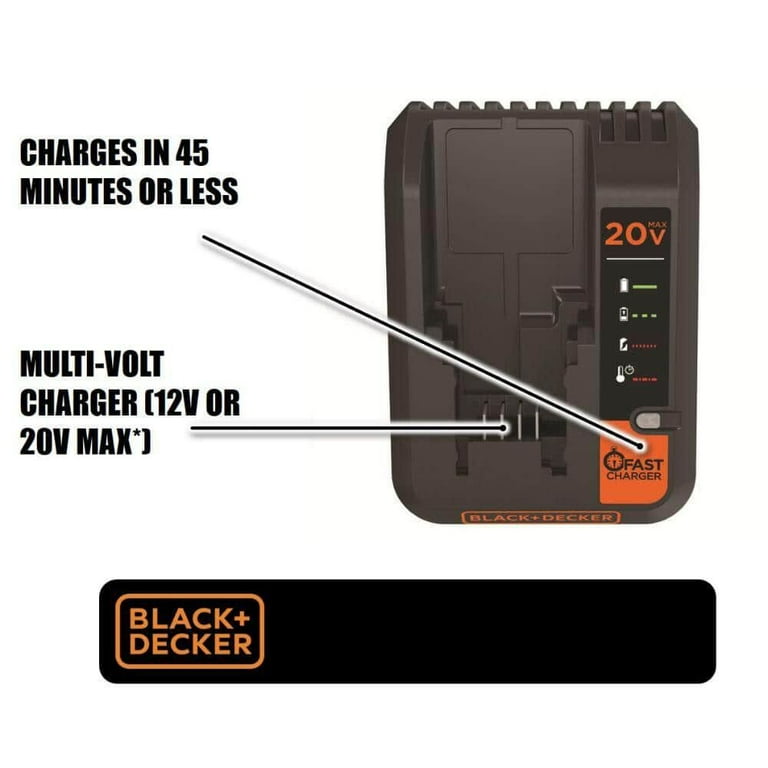
The battery is responsible for 80% of “light on but not working” scenarios with Black & Decker drills. The LED requires minimal power (just milliamps) compared to the motor (which needs several amps), so a weak battery can keep the light on while failing to spin the chuck. Start your diagnosis here before disassembling your tool.
Test Battery with Known-Good Replacement
Swap in a battery from another working Black & Decker tool of the same voltage platform. This single test eliminates the most common cause in under 30 seconds. If the drill operates normally with the replacement battery, your original battery has reached end-of-life or developed an internal fault. Lithium-ion batteries typically last 2-3 years with regular use, even if they show a full charge indicator. If the drill still won’t run with a known-good battery, move to checking the charger.
Decode Charger Light Patterns
Your charger’s LED provides critical diagnostic information that many users overlook. For Black & Decker 20V Max systems:
- Solid red light: Normal charging in progress (should transition to green within 1-2 hours)
- Flashing red light: Charging fault—usually indicates a dead cell or communication error
- Solid green light: Charging complete, but battery may still be defective under load
- Flashing green light: Battery fault requiring replacement
A battery showing solid green but failing to power the motor has likely developed internal resistance that prevents current delivery. This is especially common after the battery has been stored at full charge for extended periods or exposed to temperature extremes.
Measure Battery Voltage Under Load
Use a multimeter to test beyond surface-level indicators. A healthy 20V Black & Decker battery should read 18-20V when fully charged. Here’s the critical test: measure voltage while attempting to run the drill. If the reading drops below 15V when you pull the trigger (but stays above 17V with just the light on), you’ve confirmed a weak battery. Even if your charger shows green, this voltage collapse means the battery can’t deliver required current and needs replacement.
Check Battery and Internal Connections
When batteries test good but the drill remains unresponsive, poor connections become the prime suspect. Corrosion, debris, or physical damage at contact points creates resistance that starves the motor of power while allowing minimal current for the LED.
Clean Battery Terminals Thoroughly
Remove both battery and drill from any power source before cleaning. Inspect the metal contact terminals on both components for:
- Green/blue corrosion (from moisture exposure)
- Black carbon scoring (from arcing)
- Bent or misaligned contacts
Clean stubborn deposits with a cotton swab dipped in 90% isopropyl alcohol. For severe corrosion, gently rub contacts with a pencil eraser to remove oxidation without damaging the metal. Never use steel wool or abrasive pads that could create conductive debris. After cleaning, test with firm pressure when inserting the battery—sometimes contacts need extra force to bridge minor gaps.
Inspect Internal Wiring for Damage
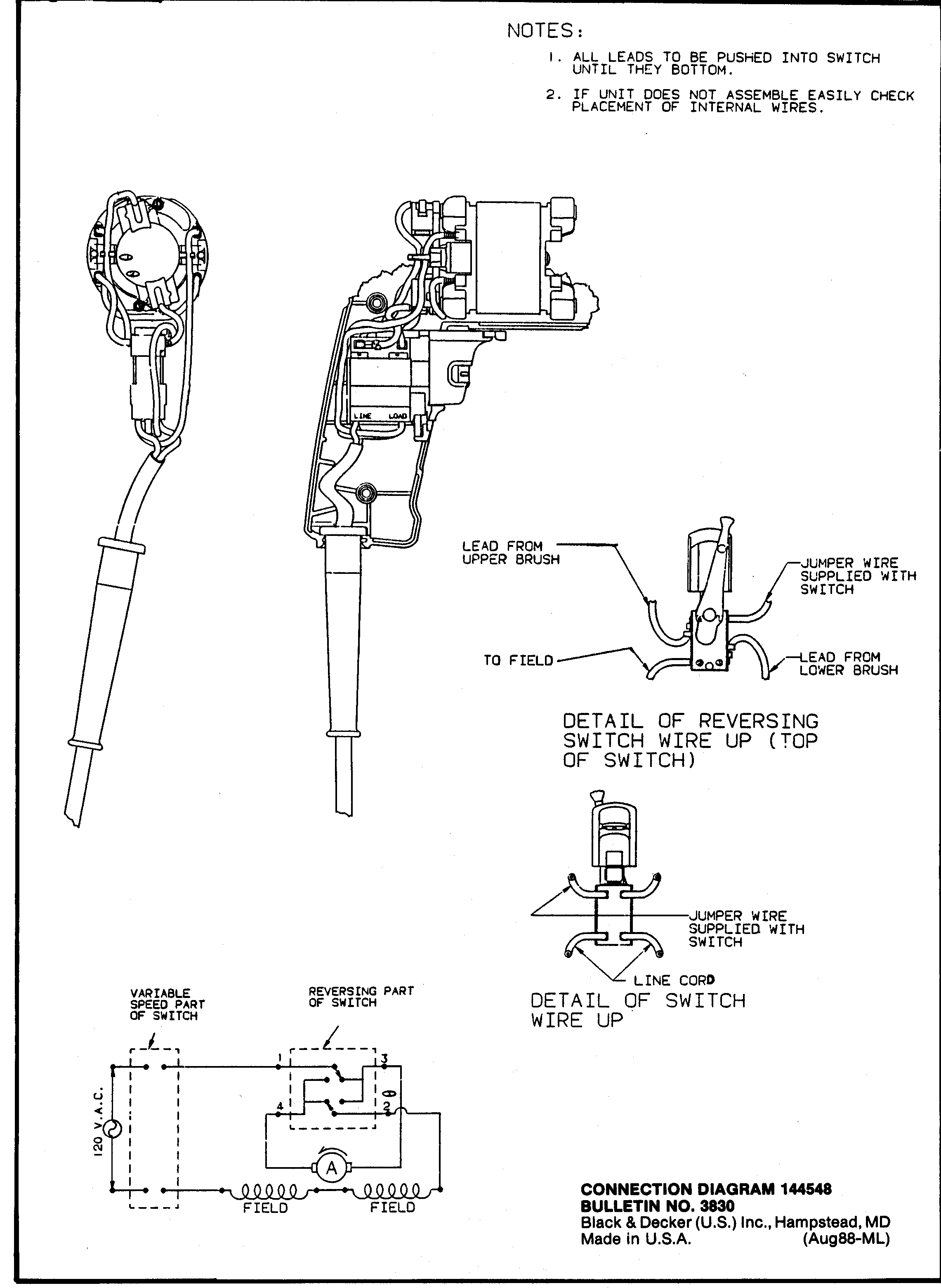
With the battery removed, open the drill housing using a T15 Torx driver (check under rubber grips for hidden screws). Focus on three critical connection points:
- Battery terminal contacts: Check for cracked solder joints where wires connect to the terminal plates
- Trigger switch connections: Verify wires aren’t frayed where they enter the switch housing
- Motor leads: Ensure connections at the motor haven’t overheated (look for melted insulation)
Wiggle each wire while observing connections—intermittent operation often reveals itself as a loose connection. Re-solder any suspect joints with rosin-core solder, applying heat for no more than 3 seconds to avoid damaging components.
Test and Replace the Motor
If batteries and connections check out, the motor itself may have failed. Before condemning the motor, rule out the trigger switch—the second most common failure point in this symptom scenario.
Verify Motor Continuity Properly
Unplug the motor wires from the circuit board and set your multimeter to ohms. A healthy motor shows 0.5-5 ohms resistance across terminals. An “OL” (open loop) reading confirms motor failure, but this is rare in drills showing the LED light—motors typically fail completely rather than partially. More commonly, carbon brushes wear down to less than 1/4 inch, preventing proper electrical contact with the commutator. Remove the brush caps (usually two Phillips screws near the motor) and inspect for excessive wear or binding.
Perform Safe Direct Power Test
WARNING: Only attempt if experienced with electrical testing. With all internal components exposed, briefly connect a known-good battery directly to the motor terminals (match polarity carefully). If the motor spins freely, your issue lies in the trigger circuit—not the motor. If it doesn’t spin, replace the motor assembly. Note that direct testing should last no more than 2-3 seconds to prevent damage from uncontrolled speed.
Repair or Replace the Trigger Switch

The trigger switch fails frequently due to carbon buildup on contacts or internal spring fatigue. This component handles high current and wears out faster than many users realize.
Test Switch Continuity Accurately
Set your multimeter to continuity mode. With the trigger released, there should be no connection between terminals. When fully depressed, you should hear a continuous beep. Intermittent beeping indicates worn contacts—clean them with electrical contact cleaner and a small brush. If cleaning doesn’t restore reliable continuity, replace the switch. Most Black & Decker trigger assemblies cost $8-$15 online and install in under 15 minutes.
Prevent Future Drill Failures
Avoid recurring “light on but not working” issues with these maintenance practices specific to Black & Decker’s 20V platform:
- Store batteries at 40-50% charge when not in use for extended periods—full charge accelerates lithium-ion degradation
- Clean contacts monthly with isopropyl alcohol, especially after use in humid or dusty environments
- Let batteries cool for 20 minutes after heavy use before charging to extend lifespan
- Use compressed air to remove dust from motor vents after jobs in drywall or woodworking
When to Repair vs. Replace Your Drill
Make the smart economic decision with this quick assessment:
Repair if: The drill is a premium model (like the BDCD20C), switch or battery costs less than $25, and the tool shows otherwise good condition. Most trigger switch replacements pay for themselves in one project.
Replace if: Motor replacement exceeds $40, your drill is over 5 years old, or you notice multiple issues (chuck wobble, gear grinding). New 20V Black & Decker combos often cost under $100 during sales.
That persistent light indicates your drill still has power—it’s just not reaching the motor. By methodically checking along the power path from battery to motor, you’ll solve most “light on but not working” issues in under an hour. Start with the simplest solution—battery testing—and work inward. Keeping your Black & Decker drill maintained with regular contact cleaning and proper battery storage will prevent this frustrating issue from recurring. When in doubt, always try a known-good battery first—it solves the majority of these cases without needing to open the tool.



