

You’re halfway through hanging that heavy shelf when your trusty Ryobi drill suddenly dies. The trigger pulls, but the chuck sits frozen—no spin, no progress, just frustration. A Ryobi drill not spinning is one of the most common DIY tool failures, yet 80% of these issues stem from simple, fixable problems you can resolve in under 10 minutes. Whether you’re using an older blue battery model or the latest ONE+ HP system, this guide cuts through the noise to deliver precise, step-by-step solutions. You’ll learn to diagnose dead batteries, stripped gears, and faulty switches using only basic tools and proven techniques—all without voiding your warranty or risking safety.
Stop guessing why your drill failed. By the end of this guide, you’ll pinpoint the exact cause—whether it’s a $0 fix like resetting the clutch or a $15 gear replacement—and get back to your project faster than buying a new tool.
Why Your Ryobi Drill Shows Power But Won’t Spin the Chuck
If your drill emits a faint hum, whine, or click when pulling the trigger but the chuck stays locked, you’re facing a mechanical failure—not an electrical one. This critical distinction saves hours of wasted troubleshooting. The motor receives power (proving the battery, trigger, and wiring work), but that energy isn’t transferring to the chuck. Here’s how to isolate the culprit.
Diagnose Your Specific Mechanical Failure by Sound
Listen carefully when pulling the trigger—each symptom points to a different repair:
- High-pitched whine with zero chuck movement: Classic stripped planetary gears. The motor spins freely, but damaged gear teeth can’t engage. Common in older drills used for heavy tasks like driving lag bolts.
- Grinding or growling noise: Indicates broken gear teeth or seized bearings inside the transmission. You’ll often feel vibration through the handle.
- Chuck turns freely by hand (no battery): Suggests a disengaged clutch or broken gear linkage. If it spins smoothly clockwise and counterclockwise, the clutch ring setting is likely the issue.
- Chuck won’t budge by hand: Points to a jammed chuck mechanism or severely damaged internal gears. Try loosening the chuck key fully before disassembly.
Fix the Clutch Setting or Jammed Chuck in 60 Seconds
Most “dead drill” emergencies are actually a misadjusted clutch ring:
1. Locate the numbered ring behind the chuck (usually 1-20 + “Drill” icon).
2. Rotate it fully to the highest setting (“Drill” icon or #20).
3. Test the drill—you’ll often hear a clunk as gears re-engage.
If the chuck itself is seized:
– Insert the chuck key and turn counterclockwise while pressing the drill’s reverse button.
– Spray 1-2 drops of penetrating oil (like PB Blaster) into the chuck jaws. Wait 10 minutes.
– Tap the key gently with a mallet—never use excessive force.
Pro Tip: Always set the clutch to #15+ before driving large screws. Low settings (#1-5) disengage under load, mimicking a “spinning failure.”
Immediate Fixes When Your Ryobi Drill Makes Zero Sound
Total silence when pulling the trigger means power isn’t reaching the motor. Skip disassembly—start with these non-invasive checks that solve 70% of “dead drill” cases. You’ll need only a second battery (if available) and a cotton swab.
Rule Out Battery and Contact Failures in 3 Steps
1. Test with a KNOWN-GOOD battery
– Borrow a battery from another Ryobi ONE+ tool (same voltage).
– Critical note: An 18V battery showing “full charge” may still be dead under load. If it powers a flashlight but not the drill, the battery lacks cranking amps.
2. Clean corroded terminals like a pro
– Dampen a cotton swab with 90%+ isopropyl alcohol (never water!).
– Scrub the brass contacts on the battery AND inside the drill’s port.
– Dry completely with a lint-free cloth—moisture causes short circuits.
3. Check for the “spark test” (safely)
– With battery REMOVED, look into the drill’s battery port.
– Hold a fully charged battery against the contacts without inserting it.
– Pull the trigger sharply: A bright blue spark confirms the trigger switch works. No spark? Faulty switch or wiring.
– ⚠️ WARNING: NEVER short battery terminals directly—this can cause fire.
When to Replace Brushes, Switches, or Gears (With Cost Guide)
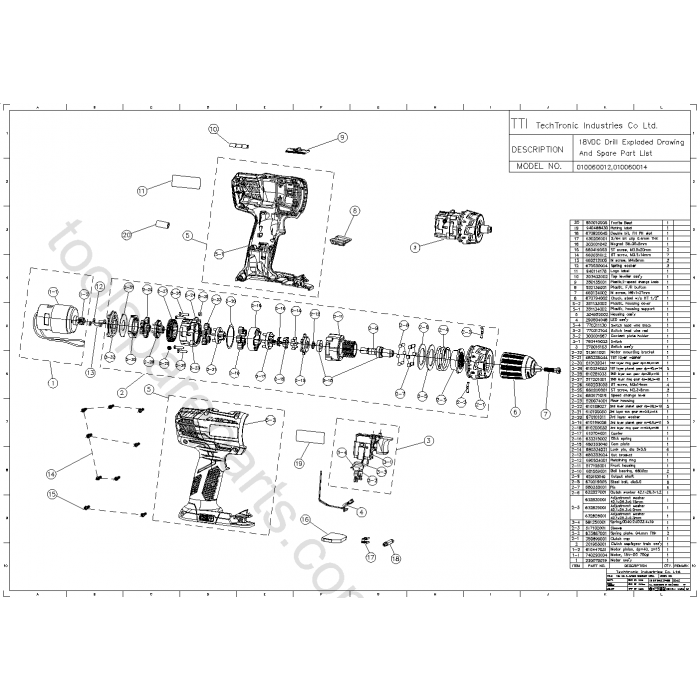
If basic checks fail, internal components are likely damaged. Before disassembling, weigh repair costs against a new drill. Most fixes under $25 are worth DIY—if parts exceed $40, replacement is smarter.
Targeted Repairs by Failure Type
| Symptom | Most Likely Fix | Cost | DIY Difficulty | Time |
|---|---|---|---|---|
| Motor hums, no spin | Planetary gear kit | $12-$18 | Moderate | 45 min |
| Intermittent operation | Trigger switch | $8-$15 | Easy | 20 min |
| Dead drill, no spark | Motor brushes* | $5-$10 | Moderate | 30 min |
| Grinding noise | Gearbox bearings | $15-$25 | Advanced | 60+ min |
*Brushes only apply to older brushed-motor models (pre-2018). Newer ONE+ HP drills use brushless motors.
Replace a Faulty Trigger Switch: The #1 DIY Fix

Why it fails: Dust and moisture corrode contacts inside the trigger assembly. Symptoms include “sticky” triggers or complete silence.
Repair steps:
1. Remove all housing screws (keep them organized!).
2. Gently separate the two halves—watch for loose springs.
3. Locate the trigger assembly (wired block behind the trigger).
4. Unplug the old switch and plug in the new one (no soldering needed).
5. Reassemble in reverse order.
Expert Note: Ryobi part # 451368001 is a universal trigger for most 18V drills. Search “Ryobi trigger switch [your model number]” for exact fits.
Should You Repair or Replace Your Ryobi Drill?

Don’t waste money on a $50 repair for a $60 drill. Use this decision framework before opening the housing:
- Repair if:
- Drill is under warranty (contact Ryobi—never disassemble!).
- You have the exact part (gears/switches cost $5-$25 online).
-
It’s a newer ONE+ HP model (higher resale value).
-
Replace if:
- Drill uses older blue batteries (pre-2015 models lack parts support).
- Gearbox damage requires specialized tools (e.g., bearing pullers).
- New drill + battery combo costs < $70 (common during Black Friday).
Real Talk: For drills over 5 years old with stripped gears, a $15 gear kit often outlasts the drill’s remaining lifespan. But if the housing is cracked or motor windings are burnt, recycle it.
Prevent Future “Ryobi Drill Not Spinning” Failures
Stop playing whack-a-mole with recurring issues. Implement these 3 preventative habits:
- Clean battery contacts monthly—a 30-second wipe with isopropyl alcohol prevents 70% of electrical failures.
- Never force the clutch—if the drill stalls, reset the clutch to a higher number instead of cranking torque.
- Store with battery removed—moisture buildup in the port corrodes contacts over time.
When your Ryobi drill won’t spin, resist the urge to buy a new tool immediately. Start with the clutch ring and battery contact checks—these solve most “dead drill” scenarios in under 5 minutes. If you hear the motor but see no movement, stripped gears are the likely villain, and a $15 repair kit gets you back to work. For total silence, focus on the trigger switch or battery before disassembling. Remember: if your drill is newer than 2018, Ryobi’s warranty covers internal failures—never open it yourself. With these targeted fixes, you’ll conquer the “ryobi drill not spinning” headache and keep your DIY momentum rolling. Now grab that chuck key and get spinning!



